Why Your Website Is Not Ranking on Google: A Technical Diagnosis and Fix Guide

Discover technical issues preventing your site from ranking on Google. Learn how to fix crawlability, indexing, and quality problems effectively.

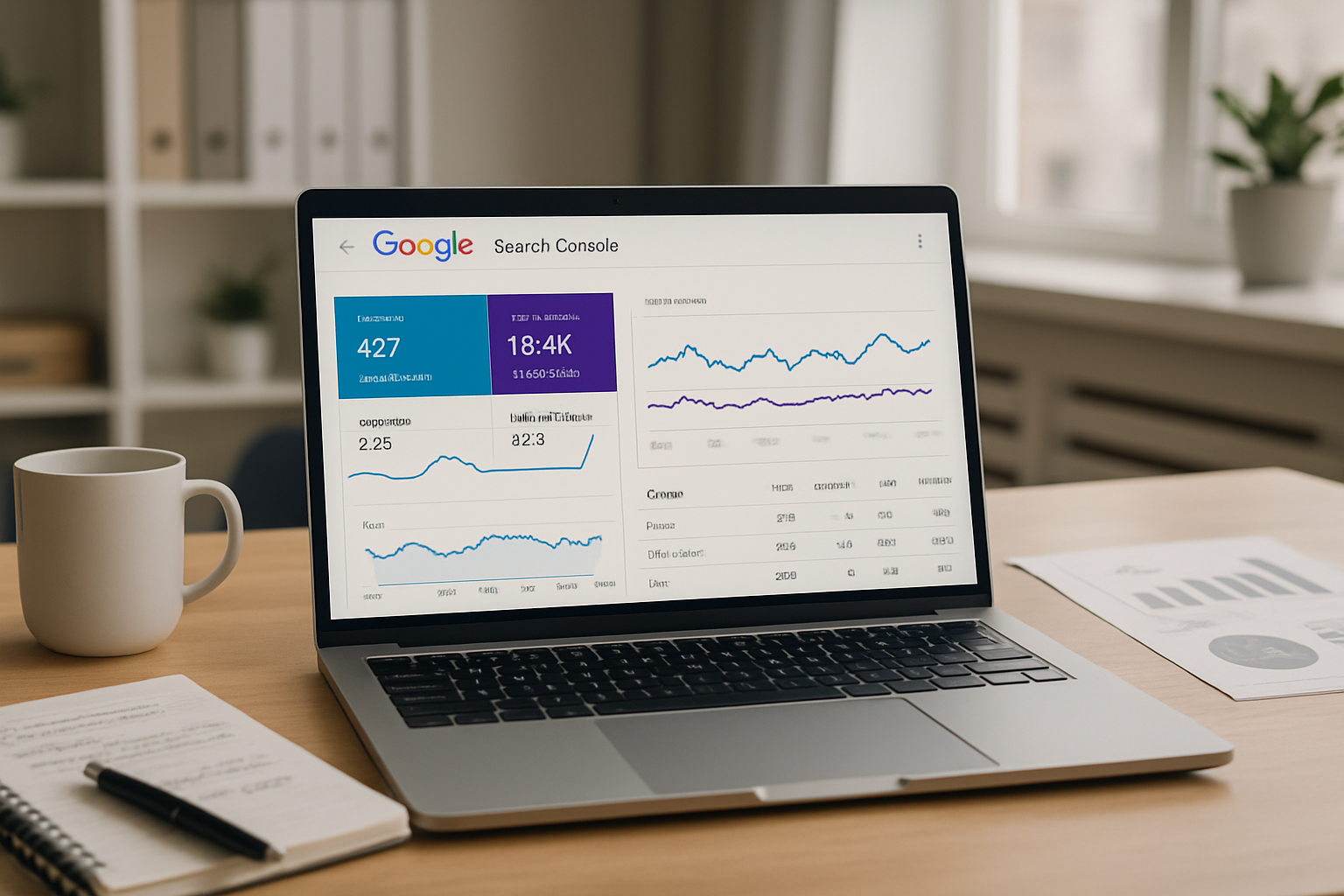
A modern office workspace with a laptop displaying Google Search Console metrics and SEO notes.
Analyzing website performance: A technical approach to improving Google rankings.

You have published the content. You have waited the weeks. You have refreshed Google Search Console more times than you care to admit. And still, your website is not ranking on Google in any position that drives meaningful traffic. The frustration is real, and it is compounded by the fact that most advice you will find on this topic is either painfully obvious or dangerously incomplete. "Write good content and build links" does not help you when your site has a fundamental indexing problem that no amount of content quality will overcome. This guide is different. It goes deep into the actual technical and strategic reasons your website is failing to rank, what each problem looks like in practice, and exactly how to fix it.

How Google Actually Decides What Ranks

Before diagnosing why your website is not ranking on Google, you need an accurate model of how Google evaluates pages. The ranking process has three distinct phases, and a failure at any one of them produces zero visible rankings regardless of what happens in the other two.

The first phase is crawling. Googlebot, Google's web crawler, must be able to discover your URLs and access their content. If Googlebot cannot reach a page, that page does not exist in Google's understanding of your site. The second phase is indexing. A crawled page must pass Google's quality assessment to be added to the index. Crawling without indexing means the page was visited but rejected. The third phase is ranking. An indexed page must demonstrate sufficient relevance, authority, and quality signals to compete for positions on query result pages. Most sites that are not ranking are failing at one or more of these three phases, and identifying exactly which phase is broken is the starting point for every effective fix.

Crawlability Problems That Prevent Google From Seeing Your Site

Crawlability is the foundation of everything. If Googlebot cannot systematically access your pages, no other optimization effort matters. The most common crawlability failures are also among the most frequently overlooked.

Robots.txt Blocking Critical Pages

The robots.txt file instructs crawlers which sections of your site they are permitted to access. A misconfigured robots.txt can silently block Googlebot from your most important pages. The most damaging version of this error is a "Disallow: /" directive that blocks the entire site, often introduced accidentally during a staging environment migration when the production site inherits the staging configuration. Open your robots.txt file at yourdomain.com/robots.txt and verify that no Disallow directive is preventing access to pages you need indexed. Use Google Search Console's robots.txt testing tool to simulate Googlebot's interpretation of your rules.

Noindex Tags Left in Production

A meta robots tag with the content value "noindex" instructs Google not to include a page in its index. This tag is appropriate for thin pages, thank you pages, and internal search results. It is catastrophic when applied to pages you need to rank. Noindex tags applied to entire site sections through CMS template errors are common and often go undetected for months. Audit every page template in your site for unintentional noindex directives. Pay particular attention to category pages, product pages, and blog archives where template level mistakes propagate across hundreds of URLs simultaneously.

JavaScript Rendering Dependencies

Sites built on JavaScript frameworks like React, Vue, or Angular can present significant crawlability challenges. If your content is rendered client side and Googlebot encounters a page that appears empty or nearly empty in its initial HTML response, that content may not be indexed at all, or may be indexed with significant delays because Google's rendering queue prioritizes pages that deliver content in the initial server response. Test your pages using the URL Inspection tool in Google Search Console and examine the rendered HTML Google actually sees. If the rendered version differs significantly from what a browser shows after JavaScript executes, you have a rendering gap that is likely suppressing your indexing.

Indexing Failures: When Google Visits But Does Not Include Your Page

A page can be perfectly crawlable and still fail to achieve indexing. Google applies quality filters during the indexing phase, and pages that fail these filters are excluded from the index entirely. Understanding why your website is not ranking on Google often comes down to understanding why Google has chosen not to index your content.

Duplicate Content and Canonicalization Errors

When multiple URLs serve identical or substantially similar content, Google must decide which version to index and potentially rank. This decision, called canonicalization, is supposed to be guided by your canonical tags. When canonical tags are absent, incorrect, or contradictory, Google makes its own canonicalization decisions, which frequently result in the wrong version being indexed, or in none of the versions being indexed with full authority because the signals are split.

Common canonicalization failure patterns include: HTTP and HTTPS versions of pages both accessible and pointing canonical tags at each other, www and non www versions both live without a definitive canonical signal, URL parameter variations like tracking parameters or session IDs creating thousands of duplicate URLs, and paginated pages without correct self referencing canonical implementations. Audit your canonical architecture using a crawl tool and verify that every page's canonical tag points to the definitive version you want indexed.

Thin Content and Quality Threshold Failures

Google applies algorithmic quality assessments during indexing that evaluate whether a page offers sufficient value to warrant inclusion in the index. Pages that fail this assessment receive what Google internally categorizes as "Crawled, currently not indexed" status, visible in the Coverage report of Google Search Console. Thin content does not simply mean short content. A five hundred word page with unique, expert level information can pass quality thresholds. A two thousand word page consisting of generic, regurgitated information with no original analysis, no firsthand expertise, and no unique value proposition will fail.

The diagnostic is straightforward: open Google Search Console, navigate to Indexing, then Pages, and examine the "Crawled, currently not indexed" and "Discovered, currently not indexed" categories. A large number of URLs in these categories indicates systematic content quality or technical indexing failures. For each affected page, evaluate honestly whether the content provides something genuinely useful that a searcher would not find expressed identically on dozens of competing pages.

Page Speed and Core Web Vitals as Ranking Factors

Page experience signals, formalized through Google's Core Web Vitals framework, are confirmed ranking factors. They do not override relevance in the ranking calculation, but in competitive queries where multiple pages have comparable topical relevance and authority, page experience becomes a meaningful differentiator. More importantly, severe page experience failures correlate with poor user engagement signals that themselves influence rankings over time.

The three Core Web Vitals metrics are Largest Contentful Paint, which measures how quickly the main content of a page becomes visible to users; Interaction to Next Paint, which measures responsiveness to user interactions; and Cumulative Layout Shift, which measures visual stability as the page loads. Google Search Console's Core Web Vitals report provides field data collected from actual users visiting your site. This real world data is what Google uses in ranking calculations, not the lab data from tools like PageSpeed Insights.

The most impactful improvements for Largest Contentful Paint are eliminating render blocking resources, optimizing and properly sizing images, implementing efficient caching, and using a content delivery network to reduce server response times. Cumulative Layout Shift is most commonly caused by images and embeds without explicit dimension attributes, and by web fonts that cause layout shifts when they load and replace fallback fonts. Interaction to Next Paint improvements focus on minimizing main thread blocking from JavaScript execution.

Content Quality Issues That Suppress Rankings

Why your website is not ranking on Google is frequently a content quality problem, but not in the oversimplified sense that the content needs to be longer or better written. The specific content quality issues that suppress rankings are more precise and more fixable than the generic advice suggests.

Search Intent Mismatch

Google's ability to understand search intent has become sophisticated enough that a page can be technically excellent and topically relevant while still failing to rank because it delivers the wrong type of content for the intent behind the query. Informational queries expect articles and guides. Transactional queries expect product or service pages with clear conversion paths. Navigational queries expect the specific brand or resource being sought. Commercial investigation queries expect comparison content, reviews, and evaluative frameworks.

Examine the SERP for any keyword you are targeting before creating or optimizing content for it. If the top ten results are all product pages and yours is a blog article, Google has determined that searchers with this query want transactional content. Publishing informational content for a transactional query means creating inherently misaligned content that Google's intent classification systems will consistently deprioritize.

Entity Coverage and Semantic Completeness

Modern Google evaluates content not just for keyword presence but for semantic completeness. A page targeting "project management for remote teams" that does not substantively address concepts like asynchronous communication, time zone coordination, task visibility, and collaboration tools is semantically incomplete relative to the top ranking pages, which treat these entities as essential components of the topic. Natural language processing systems identify which related entities and subtopics appear in the top ranking content for a query and assess whether your content covers the same conceptual territory with comparable depth.

Backlink Authority and Why Relevance Beats Volume

A site with no external backlinks or a weak backlink profile is structurally disadvantaged in competitive queries regardless of content quality. Authority, as measured by the quality and quantity of external sites linking to your domain and specific pages, remains one of Google's most durable ranking signals precisely because it is difficult to manipulate at scale compared to on page factors.

The critical distinction that most link building advice misses is that link relevance matters more than link volume for query specific rankings. A single contextual link from a topically authoritative publication in your industry passes more relevant authority than fifty links from general directories. Google's algorithms evaluate the topical relationship between the linking page, the linking domain, and your content. Links from relevant sources reinforce your topical authority signals. Links from unrelated sources contribute generic domain authority but do not specifically strengthen your relevance for your target queries.

If your website is not ranking on Google for competitive keywords and your backlink profile consists primarily of unrelated or low authority links, link acquisition from topically aligned sources is not optional. It is the prerequisite for competitiveness in those queries.

A Systematic Diagnostic Process for Finding Why Your Website Is Not Ranking

Rather than investigating ranking problems at random, a structured diagnostic process produces faster, more reliable results. Work through these phases in sequence.

Phase 1: Verify Crawlability and Indexation

Start with Google Search Console's URL Inspection tool. Enter your most important URLs individually and examine their indexing status. A result of "URL is on Google" with the correct canonical and no indexing issues indicates the page is at least indexed. Any other status requires investigation. For site wide indexation assessment, examine the Coverage or Indexing report and categorize the reasons Google provides for excluded pages. Patterns in the exclusion reasons point directly to systematic problems requiring systematic fixes.

Phase 2: Audit Technical Infrastructure

Run a full crawl of your site using a crawler and compare the pages the crawler finds against the pages Google has indexed. Significant discrepancies indicate crawlability barriers. Examine your internal linking structure: pages with few or no internal links pointing to them are effectively orphaned from Google's perspective and receive minimal crawl attention. Review your XML sitemap for accuracy, ensuring it includes only canonical, indexable URLs and excludes redirected, noindexed, and error pages.

Phase 3: Evaluate Content Quality at Scale

Segment your content by page type and examine the indexation rate of each type. If a large proportion of your blog posts are not indexed while your core service pages are, the problem is concentrated in your editorial content strategy. If product pages have poor indexation, the issue may be template level thin content or duplicate content from faceted navigation. Use the indexed page count against your total URL count as a quality signal: a site where less than sixty percent of its pages are indexed typically has systematic content quality or technical architecture issues.

Phase 4: Assess Backlink Profile Relative to Competitors

For any keyword where your website is not ranking on Google despite having relevant, well structured content, examine the backlink profiles of the top five ranking pages using a backlink analysis tool. Compare the number of referring domains, the domain authority distribution of those linking sites, and the topical relevance of the linking sources. If your page has substantially fewer referring domains or significantly lower authority links than the pages outranking you, link authority is the gap you need to close.

How to Systematically Fix SEO Issues Without Guessing

The most common mistake in SEO remediation is treating problems in isolation without a prioritization framework. Fixing a page speed issue on a page that has a canonicalization problem produces no ranking improvement because the indexing problem is upstream of the performance problem. Effective remediation requires addressing issues in dependency order: crawlability first, indexation second, content quality third, authority fourth, performance refinements fifth.

Document every issue found during the diagnostic phase with its affected URL count, its estimated ranking impact, and its remediation complexity. Prioritize fixes that affect the largest number of URLs with the highest strategic importance and the lowest implementation complexity. A robots.txt fix that takes five minutes and unblocks the entire site from being crawled is obviously the first priority regardless of what else is on the list.

After implementing fixes, do not wait passively for rankings to recover. Request indexing through Google Search Console for affected pages. Ensure internal links point to corrected URLs. Monitor the Coverage report weekly for the first month after major fixes to verify that Google is processing your corrections and moving affected pages from excluded to indexed status.

OctaSEO: A Unified Platform for Diagnosing and Resolving Ranking Problems

The diagnostic process described in this guide requires pulling data from multiple sources, cross referencing findings, and maintaining a coherent picture of interconnected issues across potentially thousands of URLs. For most small and medium businesses, this level of systematic analysis is simply not executable with a fragmented tool stack and limited technical resources.

OctaSEO's SEO Audit module performs deep technical crawls that surface the full spectrum of issues described in this guide, from robots.txt misconfigurations and canonicalization errors to content quality signals and Core Web Vitals failures. Critically, it does not simply return a list of problems. It prioritizes issues by impact, maps dependencies between problems, and provides remediation guidance that reflects the correct fix sequence rather than leaving you to determine priority from raw data.

The platform's Blueprint module connects audit findings to your keyword strategy, so you can see exactly which ranking opportunities are being suppressed by which technical issues and make resource allocation decisions based on the relationship between fixes and expected ranking outcomes. For businesses that want systematic, data driven SEO remediation rather than reactive guesswork, OctaSEO provides the integrated infrastructure to diagnose, prioritize, fix, and track the resolution of every issue that is preventing your website from ranking on Google.

Frequently Asked Questions

Why is my website not ranking on Google even though it is indexed?

Indexation is necessary but not sufficient for ranking. An indexed page must also demonstrate relevance for the target query, which requires appropriate on page optimization and semantic content coverage; authority, which requires backlinks from credible external sources; and competitive viability, meaning its overall signal strength must exceed the pages currently occupying the positions you are targeting. A page can be perfectly indexed and still rank in position ninety because its authority profile is weak relative to the competition for that query.

How long does it take Google to rank a new page?

New pages on established domains with strong authority profiles can rank within days to weeks for lower competition queries. New pages on domains with limited authority, or any page targeting competitive queries, typically require three to six months of consistent signals before achieving stable rankings. The timeline is not arbitrary; it reflects the time Google needs to observe user engagement signals, accumulate external link authority, and develop confidence in the page's quality and relevance through repeated crawl cycles.

Can a Google penalty be causing my site not to rank?

Manual penalties applied by Google's quality review team appear explicitly in the Manual Actions section of Google Search Console and always include a description of the violation. If no manual action is present, your site has not received a manual penalty. Algorithmic demotions from updates like Helpful Content or core updates are not penalties in the strict sense; they are reassessments of your site's quality signals relative to competitors. These require genuine quality improvements to recover from, not disavow files or reconsideration requests.

Does website age affect Google rankings?

Domain age itself is not a direct ranking factor. What correlates with older domains is the accumulation over time of backlinks, user engagement signals, and content assets that younger domains have not yet built. A new domain with an aggressive and effective content and link acquisition strategy can outrank older domains within its first year. The age effect is a proxy for the accumulation of authority signals, not a direct input into Google's ranking algorithm.

Why do some pages on my site rank but others do not?

Page level authority distribution within a site is highly uneven. Pages that attract external backlinks directly, receive strong internal linking from authoritative pages on the same domain, and have clear topical focus tend to rank well. Pages that are orphaned from the internal linking structure, have no external links, or cover topics where the domain has no established authority signal will underperform relative to the stronger pages on the same site. Examine the internal linking architecture connecting your underperforming pages to your strongest pages and build deliberate internal link pathways that distribute authority toward the pages you most want to rank.

How do I know if my content quality is the reason my website is not ranking on Google?

The most direct signal is Google Search Console's "Crawled, currently not indexed" status for pages you believe should be indexed. This status indicates Google has evaluated the page and chosen not to include it, which is almost always a quality or duplication signal. For pages that are indexed but ranking poorly, compare your content systematically against the top five ranking pages for your target query. Evaluate the depth of coverage, the specificity of the claims made, the presence of original analysis or data, and the semantic completeness relative to the subtopics covered by ranking competitors. Gaps in these dimensions are the content quality issues suppressing your rankings.

Track your AI visibility
before your competitors do.

OctaSEO monitors your brand's presence across Google, ChatGPT, Perplexity, and AI Overviews and shows you exactly what to fix.

Join Waitlist